


How Do Heatmaps Increase Clicks on Affiliate Websites?
Heatmaps increase clicks on affiliate websites by visually revealing where users focus, scroll, and interact. They highlight high-attention zones, ignored elements, and friction points, allowing affiliates to strategically place links, buttons, and calls-to-action. By aligning page layout with real user behavior, heatmaps help improve click-through rates, enhance user experience, and ultimately increase conversions and affiliate revenue without requiring additional traffic.
What Are Heatmaps in Affiliate Marketing?
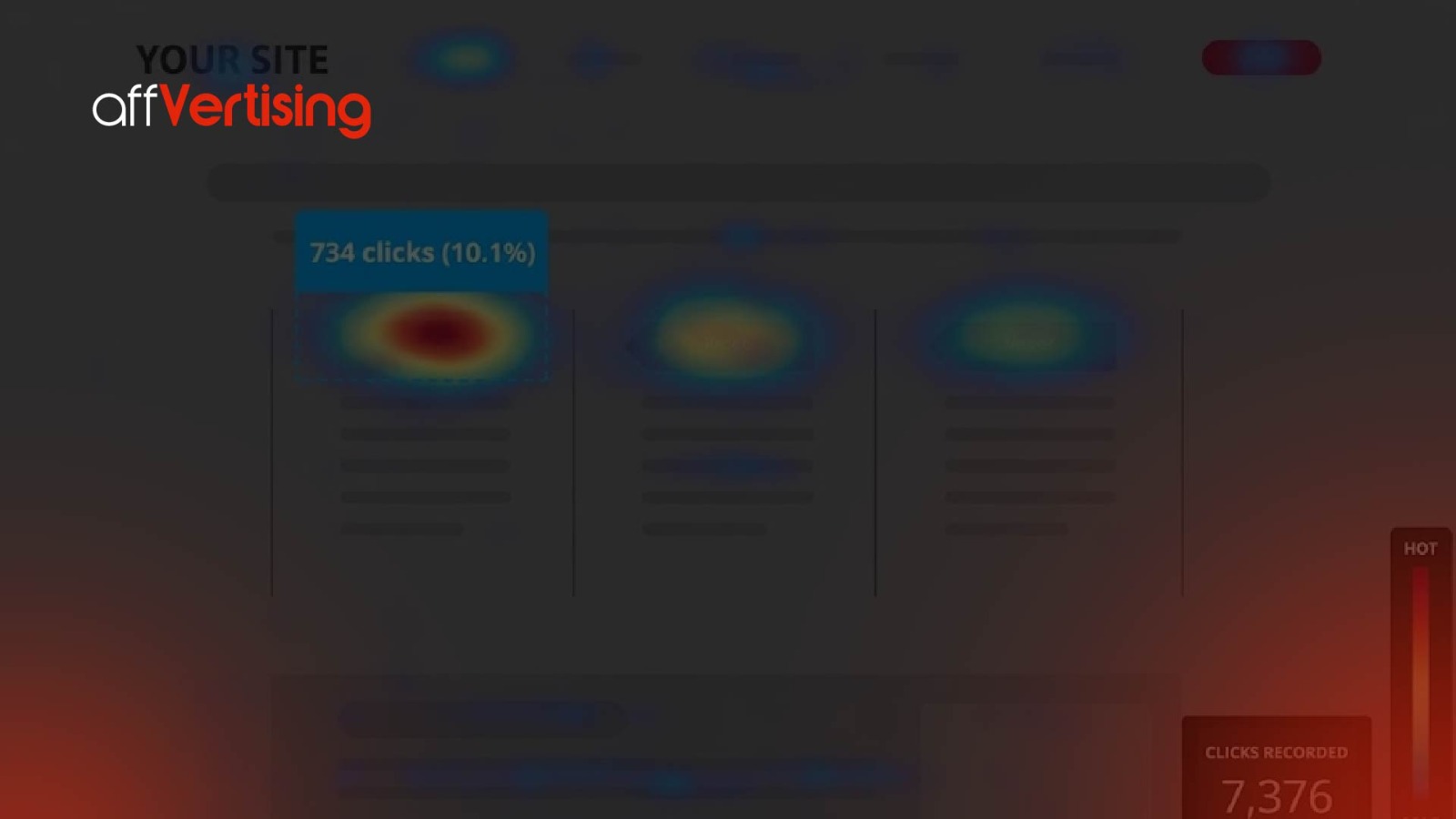
Heatmaps are data visualization tools that display user interaction patterns on a webpage using color gradients, showing where users click, move, and scroll. Instead of analyzing raw data tables, affiliates can instantly understand behavior through visual intensity, making optimization faster and more intuitive.
Core Definition
A heatmap translates behavioral data into visual signals:
- Red = high activity (most engagement, clicks, or focus)
- Yellow = moderate activity (partial engagement)
- Blue = low activity (ignored or unseen areas)
This visual hierarchy helps identify which sections of a page are performing well and which areas need improvement.
Key Heatmap Entities
| Entity | Definition | Role |
| Click Heatmap | Tracks user clicks | Identifies clickable interest and engagement |
| Scroll Heatmap | Shows how far users scroll | Measures content visibility and depth |
| Move Heatmap | Tracks cursor movement | Indicates attention and reading patterns |
| Attention Map | Combines behavior signals | Highlights overall engagement zones |
These entities work together to provide a complete picture of how users interact with a page, enabling more accurate optimization decisions.
Why Are Heatmaps Critical for Affiliate Websites?
Heatmaps are critical because affiliate marketing depends heavily on user clicks, and even small improvements in click behavior can significantly impact revenue. Without heatmaps, affiliates rely on assumptions about user behavior, which often leads to inefficient layouts and missed opportunities.
Core Insight
Without heatmaps, optimization is based on guesswork.
With heatmaps, optimization is based on real, measurable user behavior.
Key Benefits
- Identify “dead zones” where users do not interact
- Optimize CTA placement for higher visibility
- Improve overall content structure and readability
- Reduce friction in navigation and decision-making
- Increase exposure of affiliate links in high-attention areas
By understanding exactly how users engage with content, affiliates can make precise adjustments that directly influence click behavior.
How Do Heatmaps Work Technically?
Heatmaps work by tracking user interactions through scripts embedded in a webpage, usually using JavaScript-based tracking systems. These scripts collect behavioral data and convert it into aggregated visual representations.
Process Breakdown
- A tracking script is installed on the website
- User behavior is recorded, including:
- Clicks
- Scroll depth
- Mouse movement
- Data from multiple users is aggregated
- The system analyzes interaction density
- A visual heatmap overlay is generated
This process allows affiliates to observe patterns across hundreds or thousands of sessions instead of relying on individual user behavior.
Tracking Technologies
| Technology | Function |
| JavaScript tracking | Captures user actions in real time |
| Cookies | Identify returning users and sessions |
| Session recording | Replays full user journeys |
| Event tracking | Records specific interactions like clicks |
These technologies work together to ensure accurate data collection and reliable behavioral insights
What Types of Heatmaps Should Affiliates Use?
Different heatmaps serve different purposes, and using multiple types together provides a more comprehensive understanding of user behavior.
1. Click Heatmaps
Definition:
Click heatmaps show exactly where users click on a page, highlighting which elements attract the most interaction.
Use case:
- Identify which links receive the most clicks
- Detect non-clickable elements that users attempt to click
- Optimize placement of affiliate links and buttons
Click heatmaps often reveal unexpected behavior, such as users clicking images, headings, or highlighted text instead of buttons. These insights can be used to convert passive elements into clickable opportunities, increasing engagement.
2. Scroll Heatmaps
Definition:
Scroll heatmaps show how far users scroll down a page, indicating which sections are actually viewed.
Use case:
- Determine content visibility across different sections
- Identify where users drop off
- Optimize placement of important content and affiliate links
If a large percentage of users never reach the bottom of a page, placing affiliate links only at the end significantly reduces potential earnings. Scroll heatmaps help reposition critical elements earlier in the content.
3. Move Heatmaps
Definition:
Move heatmaps track cursor movement, which often correlates with user attention and reading behavior.
Use case:
- Identify which sections users focus on while reading
- Understand content engagement patterns
- Improve layout and formatting
Although not perfectly accurate, cursor movement often follows eye movement, making it a useful indicator of attention. Areas with high cursor activity typically represent strong engagement zones.
4. Segment Heatmaps
Definition:
Segment heatmaps break down user behavior based on different variables such as device type, traffic source, or user segment.
Use case:
- Compare mobile vs desktop user behavior
- Analyze performance differences between traffic sources
- Optimize layouts for specific audience segments
User behavior can vary significantly across devices. For example:
- Mobile users may interact more with top content
- Desktop users may scroll deeper
Segment heatmaps allow affiliates to tailor their optimization strategies for each audience type, improving overall performance.
How Do Heatmaps Increase Affiliate Clicks?
Heatmaps improve clicks by aligning real user behavior with strategic content placement. Instead of relying on assumptions, affiliates can visually identify where users focus, interact, and drop off, allowing precise optimization of affiliate links and calls-to-action (CTAs).
Core Mechanisms
- Optimize CTA placement in high-visibility areas
- Remove distractions that reduce user focus
- Highlight high-performing engagement zones
- Improve user navigation flow
- Increase visibility and accessibility of affiliate links
Example Optimization
Before heatmap:
- CTA placed at bottom
- Low visibility and engagement
- CTR = 2%
After heatmap:
- CTA moved above the fold
- Positioned in high-attention section
Result:
- CTR increases to 5–8%
This improvement occurs without increasing traffic, demonstrating how layout optimization directly impacts performance.
Where Should Affiliate Links Be Placed Based on Heatmaps?
Affiliate links should be placed in high-attention zones identified through heatmap analysis, ensuring they align with natural user behavior and reading patterns.
High-Performance Placement Areas
| Placement Area | Reason |
| Above the fold | Immediate visibility without scrolling |
| After headings | Natural pause points in reading flow |
| Inside comparisons | High purchase intent context |
| Near images | Visual engagement attracts clicks |
| End of sections | Decision-making moments |
Example Layout Strategy
- Introduction CTA (captures early intent)
- Mid-content CTA (engages active readers)
- Comparison table links (high-conversion zone)
- Final recommendation CTA (captures decision-stage users)
Strategic Insight
Layering affiliate links across multiple sections ensures users encounter conversion opportunities at different stages of their journey, increasing total click volume and conversion probability.
What Metrics Should Be Measured Alongside Heatmaps?
Heatmaps provide behavioral insights but must be combined with performance metrics to evaluate effectiveness and profitability.
Key KPIs
| KPI | Formula | Purpose |
| CTR | Clicks / Visitors | Measures link performance |
| Scroll Depth | % page viewed | Measures content visibility |
| Bounce Rate | Single-page visits | Indicates engagement quality |
| Conversion Rate | Sales / Clicks | Measures revenue efficiency |
Example Calculation
If:
- Visitors = 10,000
- Clicks = 600
CTR = 600 / 10,000 = 6%
Extended Insight
Combining heatmaps with KPIs allows affiliates to connect user behavior (what users do) with performance outcomes (what generates revenue), enabling more precise optimization decisions.
How to Implement Heatmaps Step by Step?
A structured implementation process ensures accurate data collection and effective optimization.
Step 1: Install Heatmap Tool
Add tracking scripts from tools such as:
- Hotjar
- Microsoft Clarity
These tools begin collecting user interaction data immediately after installation.
Step 2: Define Key Pages
Focus on high-impact pages:
- Product review pages
- Comparison pages
- Landing pages
These pages typically generate the majority of affiliate revenue and provide the highest optimization potential.
Step 3: Collect Data
Allow sufficient data collection before analysis:
- Minimum: 1,000 visits
- Ideal: 3,000–5,000 visits
Small datasets may lead to inaccurate conclusions.
Step 4: Analyze Patterns
Look for:
- Click clusters (high engagement zones)
- Drop-off points (where users leave)
- Ignored sections (low interaction areas)
These insights reveal where optimization is needed.
Step 5: Optimize Layout
Make targeted improvements:
- Move CTAs into high-attention zones
- Adjust headings and structure
- Remove unnecessary clutter
Step 6: Test Changes
Use A/B testing to validate improvements and ensure changes produce measurable results.
What Is a Real-World Case Study of Heatmap Optimization?
Scenario
Affiliate blog reviewing software tools.
Initial Metrics
| Metric | Value |
| Traffic | 20,000/month |
| CTR | 3% |
| Conversion Rate | 4% |
| Commission | $50 |
Revenue Calculation
- Clicks = 20,000 × 3% = 600
- Sales = 600 × 4% = 24
- Income = 24 × $50 = $1,200
Heatmap Findings
- Users ignored sidebar links
- High engagement near comparison tables
- Low interaction with bottom-page CTAs
Optimization Actions
- Moved affiliate links into comparison tables
- Added CTA buttons in high-attention zones
- Reduced reliance on sidebar elements
Results
| Metric | New Value |
| CTR | 6% |
| Conversion Rate | 5% |
New Revenue
- Clicks = 20,000 × 6% = 1,200
- Sales = 1,200 × 5% = 60
- Income = 60 × $50 = $3,000
Outcome
Revenue increased by 150%, demonstrating the direct impact of behavioral optimization.
What Common Mistakes Reduce Heatmap Effectiveness?
Frequent Errors
- Ignoring mobile user behavior
- Analyzing insufficient data samples
- Misinterpreting cursor movement patterns
- Not combining heatmaps with analytics data
- Implementing changes without testing
Critical Insight
Heatmaps show what users do, but not why they do it.
Contextual analysis and supporting data are required for accurate decision-making.
What Advanced Heatmap Strategies Increase Clicks?
1. Segment-Based Analysis
Analyze behavior by:
- Device type (mobile vs desktop)
- Traffic source (SEO, social, paid)
- User intent
This allows tailored optimization for different audience segments.
2. Funnel Heatmaps
Track user behavior across multiple stages:
- Landing page
- Content page
- Conversion page
This reveals where users drop off in the conversion journey.
3. Micro-Interaction Optimization
Focus on small elements:
- Button color and design
- CTA text variations
- Link placement within paragraphs
Small changes at this level can significantly impact CTR.
4. Content Restructuring
Use heatmap insights to:
- Break long paragraphs into readable sections
- Add visual elements (images, tables)
- Improve content flow and readability
How Do Heatmaps Fit into Conversion Optimization Systems?
Heatmaps are a core component of Conversion Rate Optimization (CRO), providing behavioral insights that guide decision-making.
CRO Loop
- Collect data
- Analyze user behavior
- Form hypotheses
- Implement changes
- Test results
- Repeat
Insight
Heatmaps act as the behavioral intelligence layer, helping identify exactly where and how improvements should be made.
What Risks Exist When Using Heatmaps?
Potential Risks
| Risk | Explanation |
| Privacy concerns | Improper user data tracking |
| Misinterpretation | Drawing incorrect conclusions |
| Over-optimization | Making too many changes simultaneously |
Risk Management
- Follow data privacy regulations
- Use anonymized tracking systems
- Validate insights through A/B testing
Proper implementation ensures accurate insights without compromising compliance.
What Future Trends Will Shape Heatmap Usage?
Emerging Trends
- AI-powered behavioral prediction
- Real-time heatmap analytics
- Cross-device user tracking
- Voice interaction tracking
- Personalized user experience optimization
Future Capabilities
- Predictive click modeling
- Automated UI optimization
- Real-time layout adjustments
These advancements will make heatmaps more proactive rather than reactive.
Master Framework: Using Heatmaps to Increase Affiliate Clicks
The 8-Step Heatmap Optimization System
- Install heatmap tracking tools
- Identify high-value pages
- Collect sufficient user data
- Analyze click and scroll behavior
- Identify high-attention zones
- Reposition affiliate links strategically
- Test layout changes
- Scale winning designs
Heatmap Optimization Checklist
✔ Install heatmap tracking tool
✔ Collect at least 1,000 user sessions
✔ Identify high-engagement zones
✔ Move CTAs into visible areas
✔ Optimize for mobile users
✔ Combine heatmaps with analytics data
✔ Run A/B tests for validation
✔ Continuously iterate and improve
Expert Insight
Heatmaps transform affiliate marketing from assumption-based decisions into a structured, data-driven optimization system. Their real power lies in revealing actual user behavior patterns and enabling precise alignment between content and intent. Affiliates who consistently analyze, test, and refine their layouts using heatmap data can significantly increase click-through rates, improve conversions, and build scalable, high-performing affiliate systems over time.
Frequently Asked Questions (FAQs)
What is a heatmap?
A heatmap is a tool that shows where users click, scroll, and focus on your website using colors. Red areas mean high activity, and blue areas mean low activity.
How do heatmaps help increase affiliate clicks?
Heatmaps show where users pay attention. You can place your affiliate links in those areas to get more clicks.
Which heatmap is most important?
Click heatmaps are most important because they show exactly where users click on your page.
How much data do I need?
You should have at least 1,000 visitors on a page to get useful heatmap data.
Can heatmaps increase earnings without more traffic?
Yes. If more people click your links, your earnings increase even if traffic stays the same.